Depending on the product type, you may have the ability to temporarily suspend your service.
For additional instructions, please refer to the relevant guide below -
Voice SIM Cards / Voice eSIMs
Click here for more information
If you purchased a physical Voice SIM Card prior to October 12th, 2021 (which will show the product code "SP135" or "SP136" within your account), or our latest 5G Voice SIM / eSIM services (product code "SP30" or "ES30" in your account) , it will not be possible to suspend your plan. To reduce your costs whilst outside of Japan, you can downgrade to the lowest cost plan by following these instructions: Plan Downgrade Guide
Please also note that if you are using our Voice Lite SIM or a Voice Lite eSIM, you cannot suspend or downgrade your plan (as this is a single-plan product).
If you are using the previous version of our Voice SIM Card (product code "SP142" in your account) or the previous version of our Voice eSIM (product code "ES8" within your account), please follow the instructions below -
You can temporarily suspend your ongoing plan by downgrading to the "Vacation Plan" at a lower monthly rate.
Once you have logged in to your Mobal online account (MyAccount), please visit the "Services" section and then click on the "More Information" button found next to the relevant SIM / eSIM -
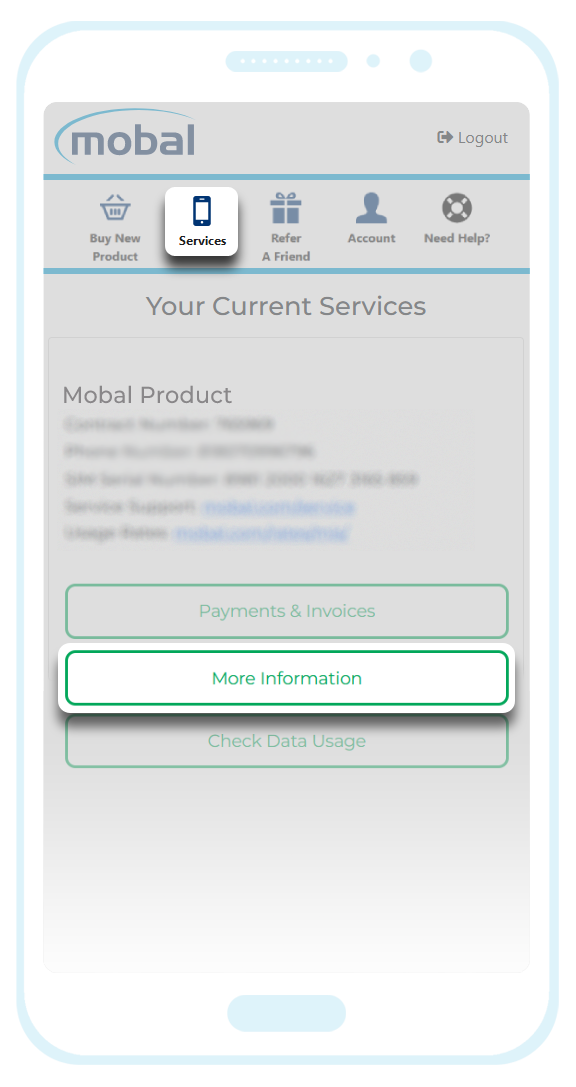
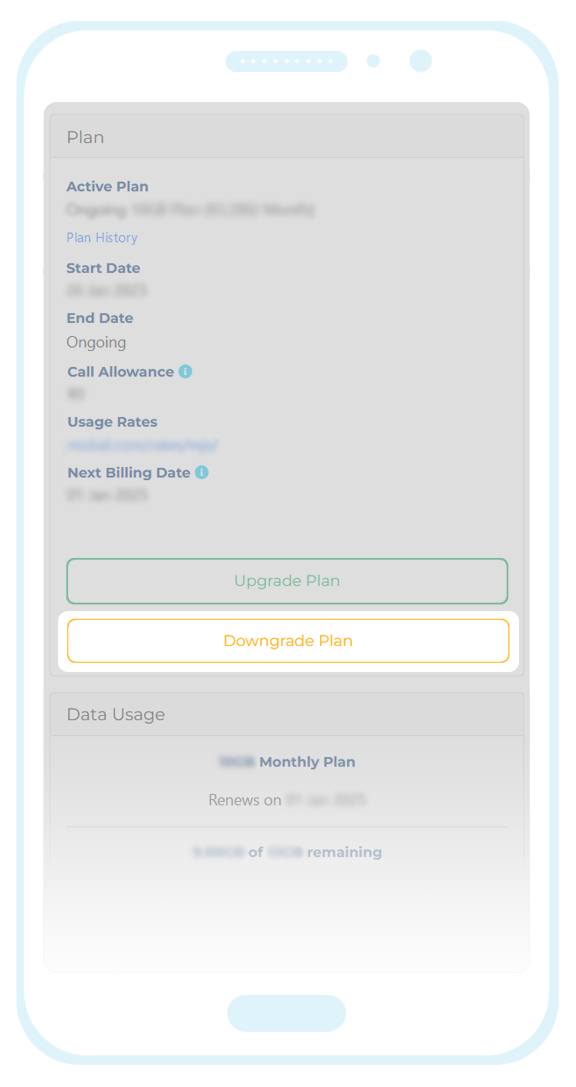
Please be advised that your service cannot be temporarily suspended part way through a calendar month and so the earliest date you will be able to select is the 1st of the upcoming month.
If there is less than 24 hours before the start of a new month however, the earliest plan change date you will be able to select is 1st of the following month. This is to allow enough time for the downgrade request to be processed.
Once you have made your selection, click on the "Submit" button and your request will be sent for processing.
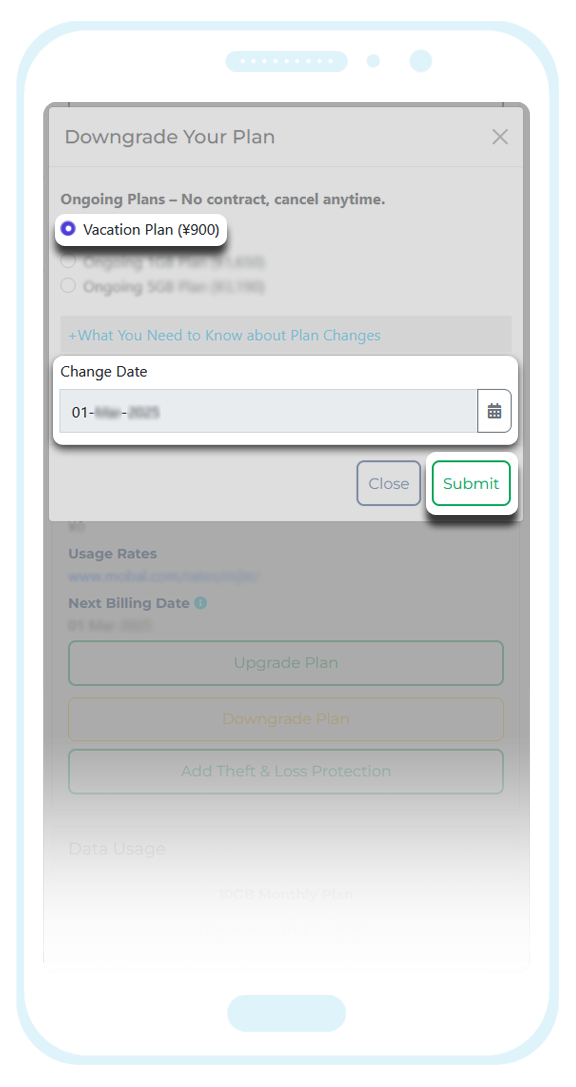
You will then able to choose your required plan and the date you would like the service to be reactivated.
If you ask for the service to be reconnected as soon as possible (by selecting tomorrow's date as the plan change date) or select a date that falls part way through the current month, you will be charged the difference in cost between your current plan (the "Vacation Plan") and the plan you are upgrading to.
Alternatively, you can select the 1st of the upcoming month as the plan change date and you will be charged the full plan fee on the 1st.
WiFi Devices
Click here for more information
When you are ready to deactivate or suspend your WiFi plan, you can submit your request directly from your Mobal online account: www.mobal.com/myaccount
Once you have logged in, simply visit the "Services" section and then click on the "More Information" button (found next to the relevant product) as shown in the example below -
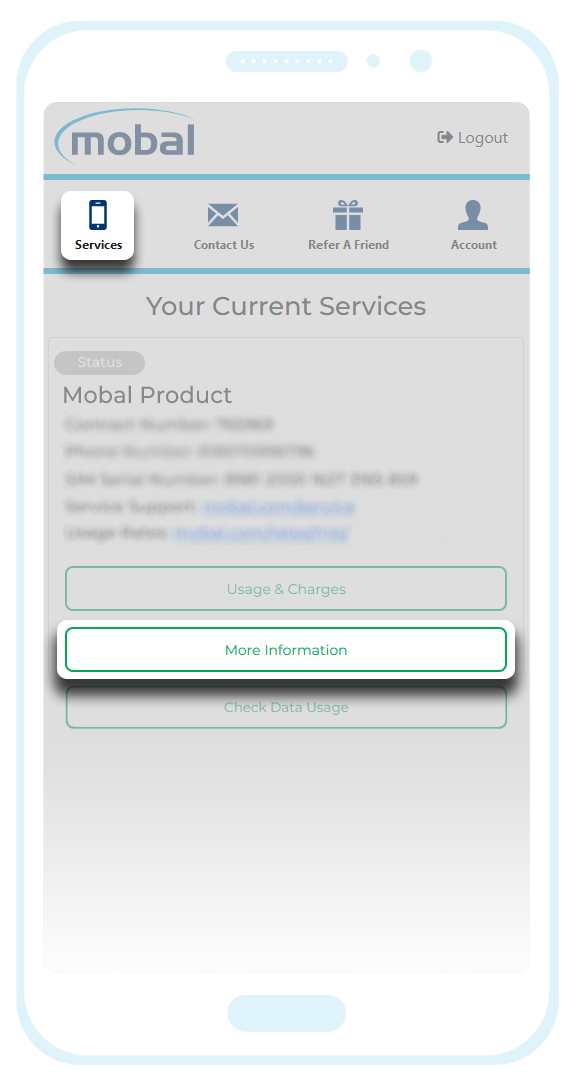
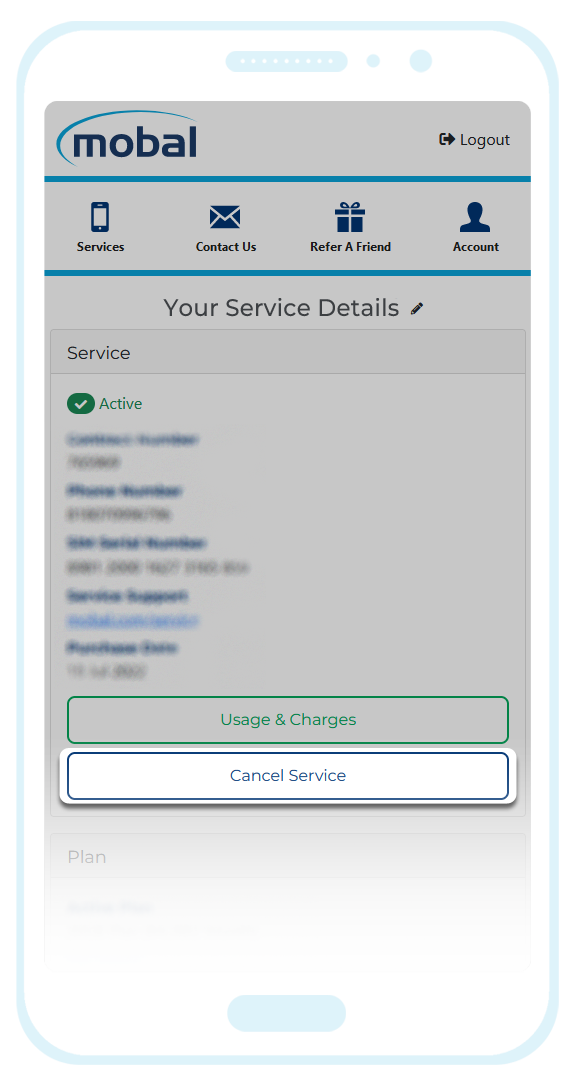
Important Note: Requests of this type must be received by the 20th of the month to be processed at the end of the current month. If you are making your request after the 20th, your request will not take effect until the end of the following month.
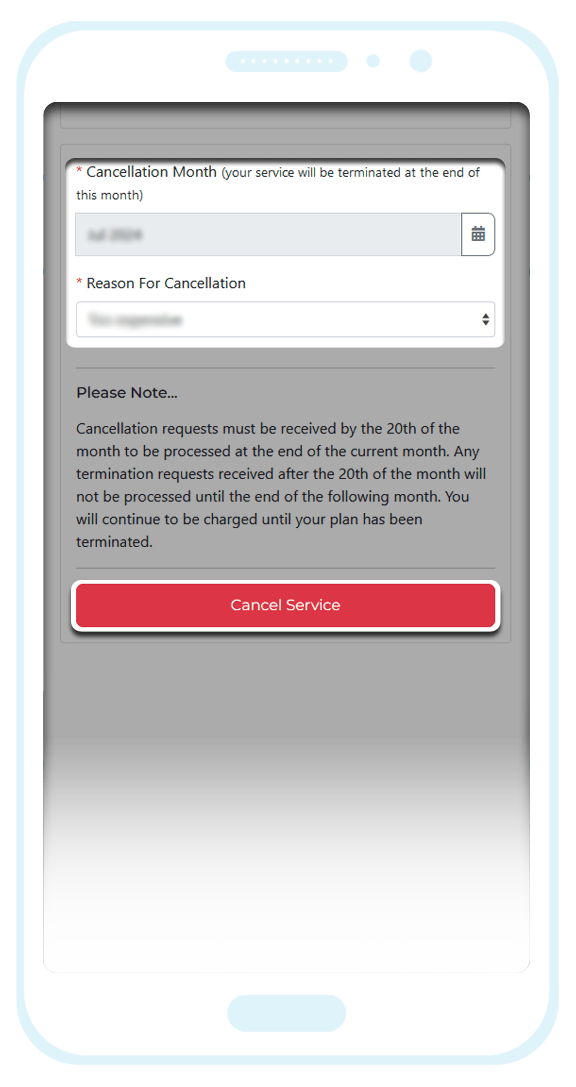
Once you have made your selection, please click on the "Cancel Service" button to submit your request.
When you are ready to reactivate your WiFi plan for another trip to Japan, just submit a new activation request by following the instructions found here: WiFi Reconnection Guide
If this article didn’t help, head back to the home page to see other solutions OR submit a support ticket using the button below.